
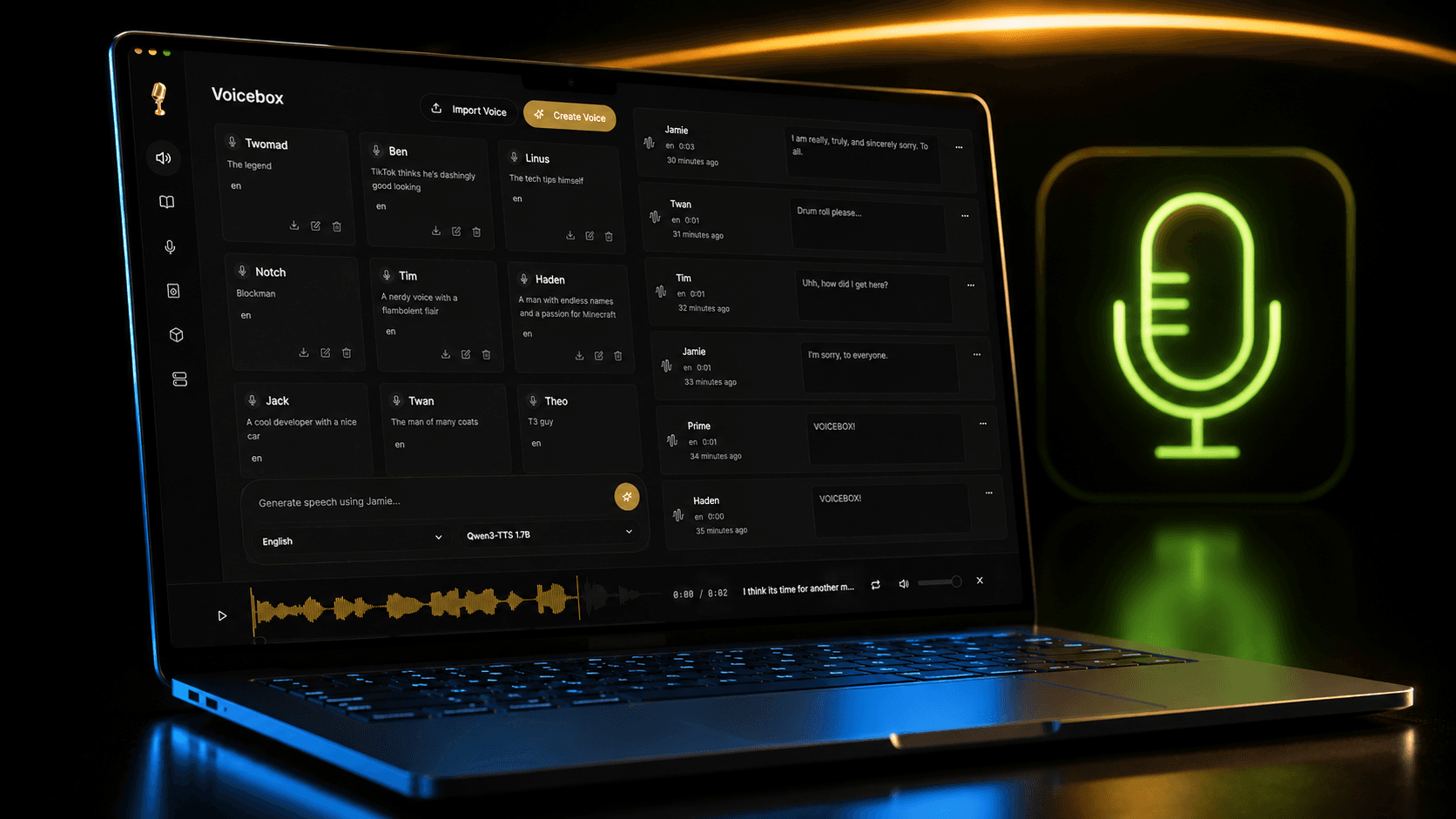
How to Clone Any Voice Locally with Voicebox: A Practical Guide
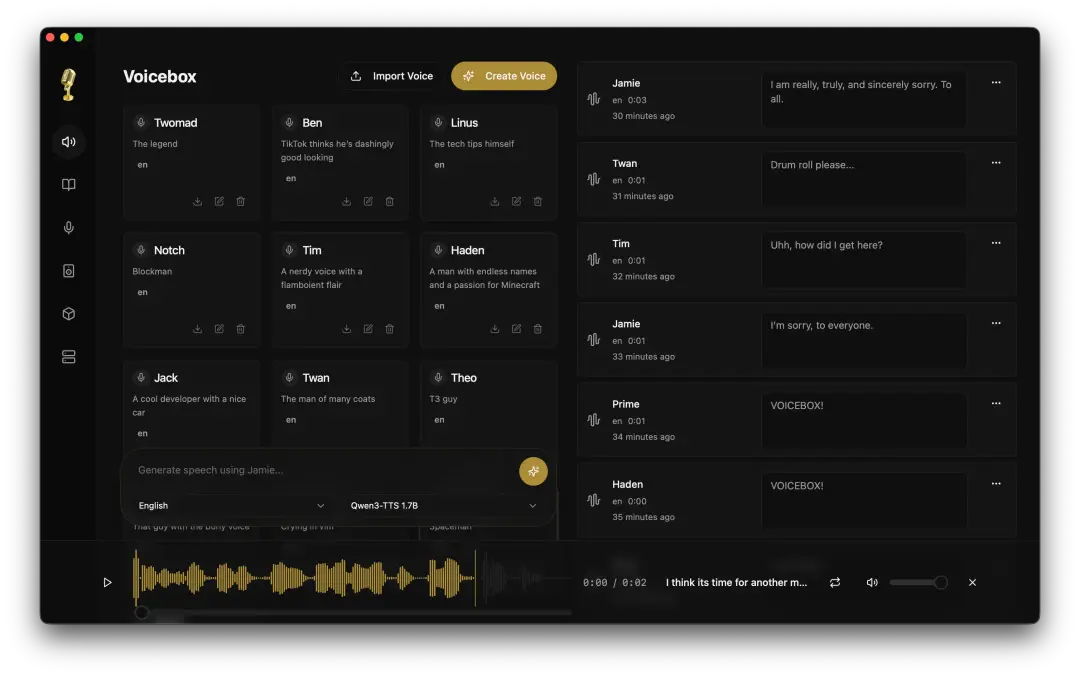
If you've ever wanted to clone a voice your own, a character's, a narrator's without sending audio to a cloud service, Voicebox is worth a look. It's a free, open-source, local-first voice studio that clones voices from a short audio sample and runs entirely on your machine. No subscription, no upload, no "your data trains our model."
This guide walks through exactly how to do it, engine by engine, mistake by mistake the stuff you actually need to know before you record your first sample.
What Voice Cloning Actually Does
Voicebox uses zero-shot voice cloning. You give it 10-30 seconds of clear reference audio from a target voice, and the model extracts a voice embedding a compact representation of that person's vocal characteristics, tone, and speaking pattern. Once that embedding is saved to a profile, you can type any text and generate it in that voice.
No fine-tuning. No hours of training data. Just a short sample and a profile.
Step 1: Pick Your Engine
Voicebox supports five cloning engines, and picking the wrong one for your use case is the single biggest reason people get disappointing results. Here's how to choose:
- Want the best overall quality in a common language (English, Spanish, Chinese, etc.)? Use Qwen3-TTS 1.7B.
- Want that same quality tier but faster generation? Use Qwen3-TTS 0.6B.
- Need a language outside Qwen's 10 Arabic, Hindi, Swahili, Hebrew, etc.? Use Chatterbox Multilingual, which covers 23 languages.
- Need expressive English with laughs, sighs, gasps? Use Chatterbox Turbo.
- Don't have a GPU, or have a weak one? Use LuxTTS it needs only ~1GB VRAM and runs 150x realtime on CPU.
- Generating audiobook-length or long-form narration? Use TADA 3B, built for 700+ seconds of coherent output.
One detail worth knowing before you commit: only Chatterbox Turbo actually performs paralinguistic tags like [laugh] and [sigh]. Every other engine Qwen3-TTS, LuxTTS, Chatterbox Multilingual, TADA will read [laugh] out loud as literal text instead of laughing. If expressive delivery matters to you, Chatterbox Turbo is not optional, it's the only option.
Don't want to record anyone? Skip cloning entirely and use a preset voice instead (Kokoro or Qwen CustomVoice) a curated catalog you can generate from immediately, no sample required.
Step 2: Record or Source a Clean Sample
This is where most clones fail not the engine, the audio.
Do:
- Record 10-30 seconds of continuous, natural speech
- Keep it to one speaker, one consistent tone
- Record somewhere quiet a closet with clothes on the walls beats an empty room
- Speak at a natural pace, like you're talking to someone, not reading a legal disclaimer
Don't:
- Use clips under 5 seconds the model doesn't have enough signal to work with
- Use anything with music, background chatter, or overlapping voices
- Use heavily compressed or processed audio (phone voicemail, low-bitrate MP3 pulled from a video)
- Mix samples from different speakers into one profile this actively degrades the clone
File format: use WAV if you have the choice. Compressed formats introduce artifacts that get baked into the voice embedding.
Pulling a sample from existing audio (podcast, video, interview):
- Find a segment with just your target speaker no music bed, no cross-talk
- Cut it down to 10-30 clean seconds
- Trim any silence at the start and end
- Normalize the volume
Audacity or Adobe Audition both handle this in under five minutes.
Step 3: Create the Profile
- Open Voicebox and go to Profiles → + New Profile
- Choose your cloning engine from Step 1
- Drag in your audio file, or record directly with the in-app recorder
- Name it something you'll actually recognize later "John Smith - Professional Narrator" beats "Profile 3"
- Add a description noting the recording conditions or intended use case future-you will thank present-you
- Generate a test phrase immediately to sanity-check the result
If the first result sounds rough, don't throw out the profile add a second sample instead.
Step 4: Improve Quality with Multiple Samples (Optional but Recommended)
One sample gets you a working clone. Multiple samples get you a robust one. If the voice you're cloning is distinctive a strong accent, an unusual cadence, a very expressive speaker a single clip often gets "smoothed over" by the model. Adding more samples fixes this.
What actually helps:
- A sample in a casual tone and a sample in a formal tone
- A sample that's more neutral and one with more emotional range
- Samples recorded in slightly different conditions (not a requirement, just tolerated)
What doesn't help and actively hurts: mixing in a different speaker's voice by accident. Voicebox has no way to detect this for you; it will happily blend two people's voices into one bad clone if you let it.
Step 5: Generate Speech
Once your profile sounds right on the test phrase, you're done with the hard part. From here:
- Type or paste any text into the generate box
- If you're on Chatterbox Turbo, hit
/in the text field to open the tag inserter for[laugh],[sigh],[cough],[gasp], etc. - If you're on a Qwen CustomVoice preset (not a clone), use the delivery-instructions field instead of trying to bake emotion into the sample that field exists specifically to control tone, pace, and emotion via plain-language instructions
Generation auto-chunks and crossfades for anything long, so you're not limited to short clips Voicebox will handle scripts up to 50,000 characters in one pass.
Common Failure Modes (and the Fix)
- Clone sounds muffled or robotic usually noisy or compressed source audio. Re-record in WAV, in a quiet room, with no processing.
- Clone sounds like two different people you mixed speakers in the same profile. Delete it and rebuild using single-speaker samples only.
- Clone drops the accent or character the model "smoothed over" a distinctive voice from a single sample. Add a second and third sample for robustness.
[laugh]shows up as spoken text instead of being performed wrong engine selected. Switch to Chatterbox Turbo, the only one that interprets tags.- Profile is greyed out in the generate box you switched engines, and that preset voice only exists in the original engine. Switch back, or clone the target voice fresh in the new engine.
- Struggling with a strong accent or speech impediment this is a known limitation across every engine. Expect lower fidelity here regardless of sample quality.
Before You Clone Anyone's Voice
This is the one non-negotiable step: get consent. Voicebox's own documentation flags this directly and points to the project's SECURITY.md and your local laws on synthetic voice content. Cloning your own voice, a voice actor who's given permission, or a fictional character you've voiced yourself is fine. Cloning a real person without their knowledge to put words in their mouth is a different problem entirely legally and ethically regardless of how good the tool is.
Quick Reference: Engine Cheat Sheet
- Qwen3-TTS (0.6B/1.7B) 10 languages, best general quality, supports delivery instructions
- Chatterbox Multilingual 23 languages, the widest coverage by far
- Chatterbox Turbo English only, but the only engine with real paralinguistic tags
- LuxTTS English only, lightest weight, best for CPU-only setups
- TADA (1B/3B) long-form specialist, best for audiobook-length content
If you're just starting out and don't know which to pick: start with Qwen3-TTS 1.7B for quality, or LuxTTS if you don't have a GPU. Everything else is a refinement once you know what you're optimizing for.
Voicebox is open source and runs entirely on your machine no audio ever leaves your device. If you're evaluating it for a project, the official docs are worth bookmarking; this guide covers the practical workflow, but the docs go deeper on the engine internals if you need them.