

How to Use Higgsfield AI for Video and Marketing Content: A Beginner's Guide
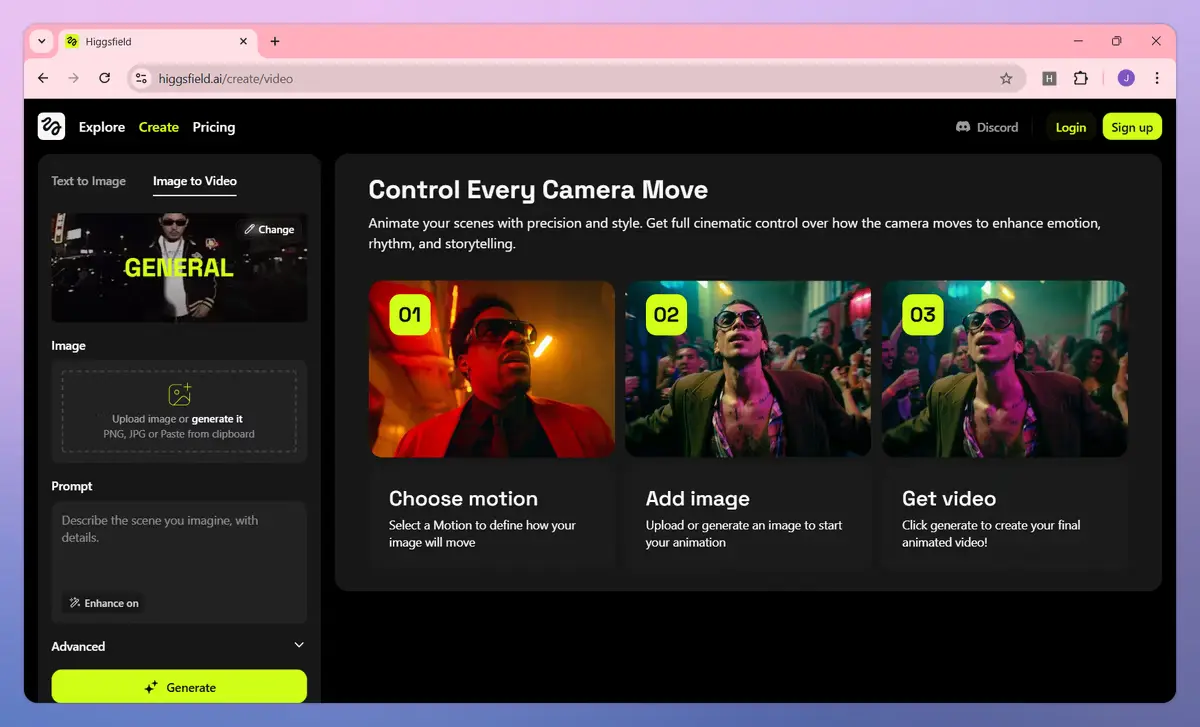
Higgsfield AI is one of the fastest-growing tools in the AI video space in 2026, and for good reason、instead of locking you into one video model, it aggregates 15+ engines including Sora 2, Veo 3.1, Kling 3.0, and Seedance 2.0 under a single dashboard, then adds its own tools for camera control, character consistency, and marketing-specific workflows on top.
If you're searching for how to use Higgsfield AI for the first time, this guide walks through the exact steps: setting up your account, generating your first video, keeping your brand consistent across clips, and exporting content ready for social media or ad platforms.
What Is Higgsfield AI?
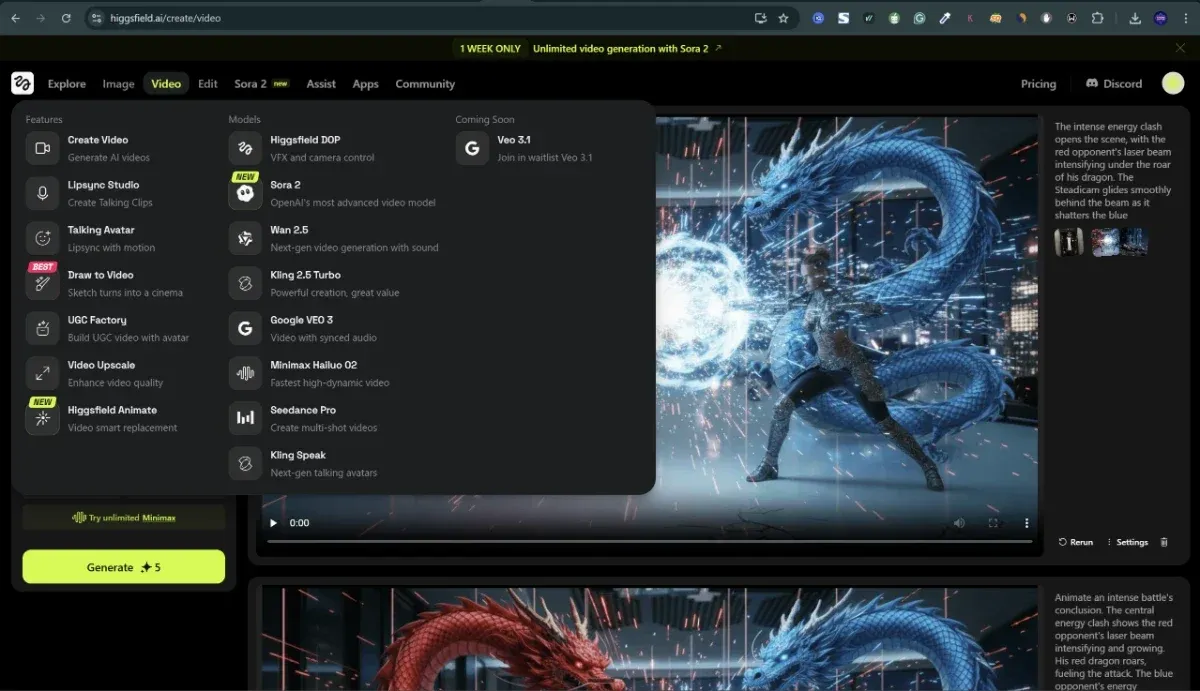
Higgsfield AI is a subscription-based AI video platform that combines multiple video generation engines with its own suite of production tools: Cinema Studio for cinematic camera control, Marketing Studio for commercial content, Soul ID for character consistency, and a mobile app called Diffuse for generating on the go.
It's built for two main audiences: filmmakers who want directorial control over AI-generated footage, and marketers who need fast, repeatable video ads and social content.
Step-by-Step: How to Use Higgsfield AI for Marketing Video
Step 1: Choose the Right Workspace
After logging in, you'll see several environments. Pick based on what you're making:
- Marketing Studio for product ads, social clips, and UGC-style content. Start here if you're doing brand or client work.
- Cinema Studio for narrative footage with per-shot camera direction. Use this for cinematic or storytelling content.
- Higgsfield Originals a library of community-made long-form content. Useful for inspiration, not for your first project.
For marketing content, go directly to Marketing Studio.
Step 2: Generate Your First Video
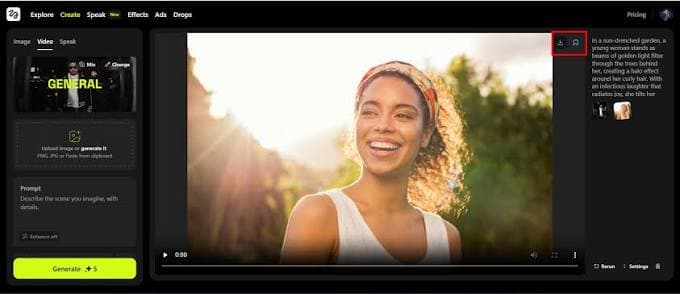
You have three practical entry points:
URL-to-video: Paste a product page link. Higgsfield pulls the product details automatically and generates ad-ready video in multiple formats. This is the fastest way to get a usable first result with zero prompting skill required.
Prompt-based generation: Write a description or upload a reference image, then choose which engine generates it (Sora 2, Veo, Kling, Seedance, etc.).
AI Hook Generator: If you're stuck on how to open the video, enter your product or service details and it suggests several high-engagement opening concepts based on current platform trends.
Practical tip: Run the same prompt through two or three different engines before committing to one. Each engine has different strengths some handle realism better, others handle motion or stylization better. You'll learn this faster by comparing outputs side by side than by reading a feature list.
Step 3: Set Up Soul ID for Character Consistency
If your content includes a recurring face a founder, spokesperson, or branded character set up Soul ID before you generate a full campaign, not after.
Upload a clear reference image of the person or character.
Higgsfield locks in that identity across future generations.
The same "face" will stay consistent even as lighting, camera angle, and style change between clips.
Practical tip: Retrofitting consistency after you've already generated a batch of clips is harder than setting it up first. If you know a character will reappear, create their Soul ID on day one.
Step 4: Add Camera Direction (Optional but Effective)
Higgsfield includes 70+ camera-move presets modeled on real cinematography dolly, crane, crash zoom, FPV drone, bullet time and lets you stack up to three movements in a single shot inside Cinema Studio.
Most short-form marketing clips don't need this level of control. But if your output is starting to look flat or obviously AI-generated, adding one deliberate camera move is usually the fastest fix.
Step 5: Refine Without Regenerating From Scratch
Two tools save the most time here:
- Edit Image / Edit Video brush-based inpainting for image fixes, plus video-level editing for adjusting a clip instead of regenerating it entirely.
- Layers change one element of a video while keeping everything else locked. This turns an approved video into something you can tweak, instead of something you have to redo from zero every time a client requests one small change.
Practical tip: Use Layers from the start on any client-facing project. It's the difference between a five-minute revision and a full re-generation.
Step 6: Export for the Right Platform
Export in the format built for where the video is going TikTok, Instagram Reels, YouTube Shorts rather than a single generic export. Then use the built-in analytics to track how each version actually performs once it's live.
Practical tip: If you're testing multiple hooks or camera styles for the same product, export each as a separate variant and compare performance data directly instead of guessing which one worked better.
A Practical First Workflow (Start to Finish)
If you're doing this for the first time today, follow this order:
Sign up for the free tier.
Run one real product through URL-to-video to see a finished output fast.
Compare the same prompt across 2–3 engines to learn their differences.
If a recurring face is involved, set up Soul ID before generating more clips.
Use the Hook Generator if you're stuck on the opening seconds.
Once you're hitting free-tier limits regularly, check the credit breakdown and move to the paid plan that matches your actual usage not just the cheapest one.
Higgsfield AI: Who It's Best For
Higgsfield is strongest for marketing teams and social content creators who want directorial control camera movement, character consistency, fast product-to-ad turnaround without learning a traditional editing suite like Premiere or After Effects.
If your priority is the single highest-quality output from one specific model, a dedicated single-model tool may suit you better. But for most beginners producing regular marketing or social video, the aggregator model means you're never locked into one engine's weaknesses.
FAQ: How to Use Higgsfield AI
Is Higgsfield AI free to use? Yes, there's a free tier with 10 daily credits and access to basic models only. It's suitable for testing, not for production-quality client work.
What AI video models does Higgsfield support? Higgsfield aggregates 15+ models, including Sora 2, Veo 3.1, Kling 3.0, and Seedance 2.0, plus its own Soul image model.
What is Soul ID used for? Soul ID keeps a character's identity consistent across multiple video generations, even when lighting, angle, or style changes.
Can I edit a video after generating it? Yes. Use Edit Video for targeted changes, or Layers to adjust one element of a clip while keeping the rest locked no full regeneration required.
Does Higgsfield work for social media ads specifically? Yes. Marketing Studio and the URL-to-video feature are built specifically for turning product pages into ad-ready video content.