
Top 10 AI Note Takers in 2026 (And How to Set Up the Best Free One)
Meetings generate information faster than any human can write it down. That's the whole reason AI note takers exist. Point one at a call, and it listens, transcribes, summarizes, and hands you action items before you've even closed your laptop.
The category has gotten crowded, though. Some tools join your call as a visible bot. Others sit quietly on your desktop and capture audio locally. Some are free forever with real limits, others dangle a free trial before the paywall shows up. Here's a practical breakdown of the ten worth knowing in 2026, followed by a full setup walkthrough for the one with the most complete package HappyScribe.
The Top 10
1. HappyScribe
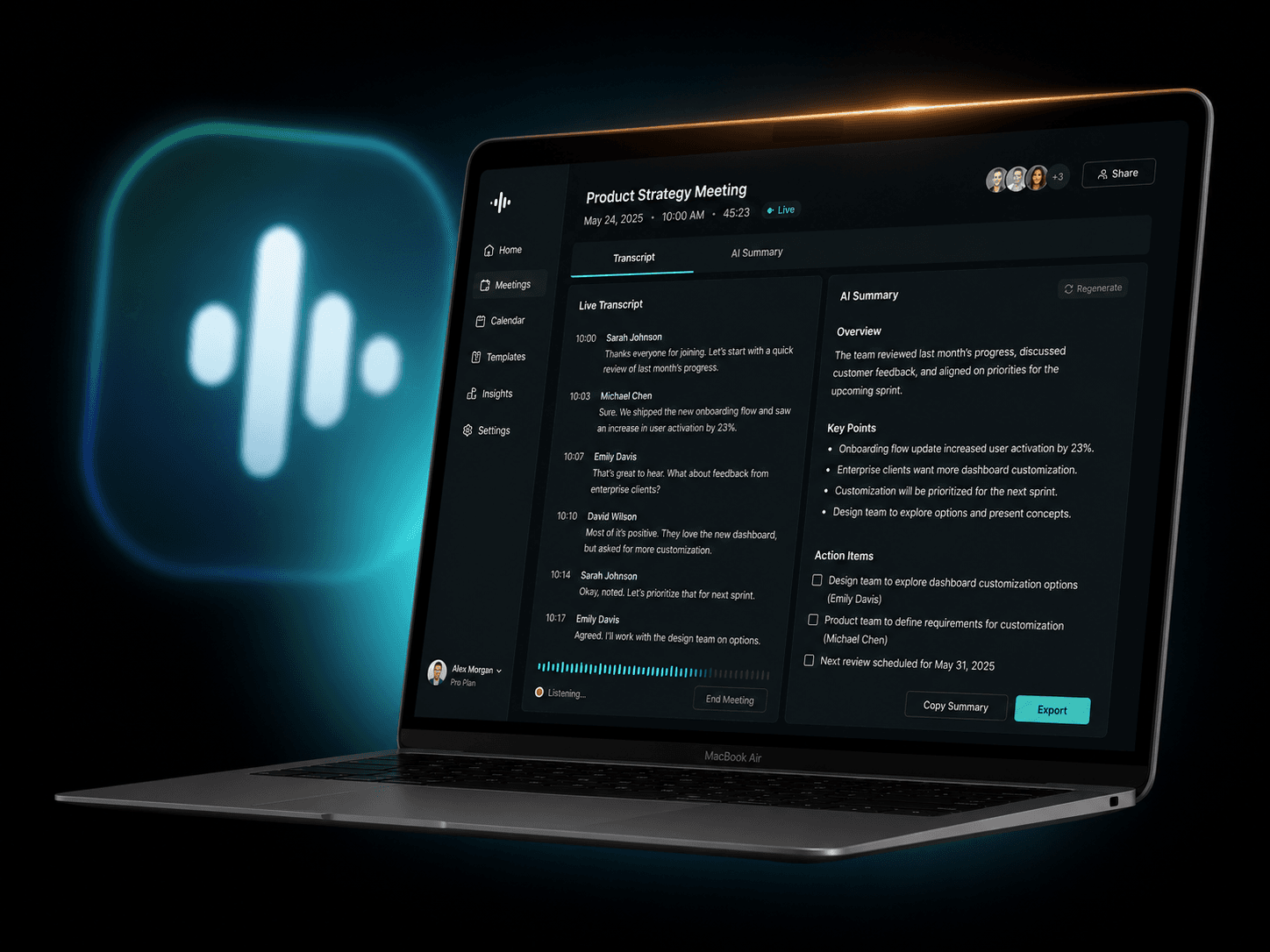
The most complete package on this list. HappyScribe isn't just a meeting bot bolted onto a transcription engine it's a full conversational-intelligence platform built around three stages: capture, relate, and activate. The AI Notetaker joins Zoom, Microsoft Teams, and Google Meet straight from your calendar, and the mobile app records in-person meetings, interviews, and workshops, offline included. Under the hood, AI transcription returns an editable transcript in minutes with up to 99% accuracy on clear audio (independent reviews report roughly 85–95% in real-world conditions with multiple speakers or background noise), with automatic speaker diarization to keep voices labeled correctly.
You can then chat with your transcripts to pull out answers, and connect the same data to AI agents like Claude or ChatGPT through the API, webhooks, and MCP. It supports 150+ languages, is SOC 2 Type II certified, GDPR compliant, stores and processes data in the EU, and lets you opt out of having your data used to improve AI models at any time (Enterprise workspaces are opted out by default). It's trusted by more than 41,000 teams and 6 million users, made in Europe, and free to try with no credit card.
2. Otter.ai
One of the most recognized names in the space, but its free tier is the most restrictive on this list: 300 transcription minutes a month, a 30-minute cap per conversation, and only three lifetime file imports. Strong AI Chat feature for querying past meetings once you're on a paid plan.
3. Fireflies.ai
The integration heavyweight. It connects to nearly every CRM, project tool, and chat platform you can name, which makes it the default pick for cross-functional teams. Transcription and AI summaries are unlimited even on the free plan, but stored meeting minutes are capped (around 400–800 minutes depending on team size) and advanced AI features like AskFred are gated behind a limited monthly credit pool.
4. Granola
Built for people with back-to-back calendars. It runs on Mac and Windows (plus a newer iOS app for in-person capture), never joins as a visible bot, and turns your own rough typed notes into a polished summary shaped around what was actually said. No awkward "a bot has joined the call" moment for clients. The free plan's real limit is a 25-meeting lifetime cap, not a monthly one, so it works better as an extended trial than a permanent free tier.
5. tl;dv
Popular for its unlimited free recordings and clip-based workflow. Good for teams that want to pull highlight reels from meetings rather than read full transcripts.
6. Tactiq
A browser-extension-based notetaker that works directly inside Zoom, Meet, and Teams without a separate bot joining. Lightweight and fast to set up if you live in Chrome.
7. MeetGeek
Positions itself around conversation intelligence: engagement scoring, topic tracking, and analytics on top of standard transcription. Useful if you want data on how meetings are actually going, not just what was said.
8. Krisp
Started as noise-cancellation software and expanded into AI meeting notes. A solid pick if audio quality in noisy environments is your main pain point, with notetaking as a bonus feature.
9. ClickUp AI Notetaker
The best option if your team already lives inside ClickUp. It turns meeting discussion directly into tasks and project updates rather than leaving notes as a separate artifact you have to file yourself.
10. Notion AI
(with voice/meeting notes) Not a dedicated meeting bot, but if your team's second brain is already Notion, its AI can transcribe voice recordings and fold them straight into your existing docs and databases.
How the free plans actually stack up
Strip away the marketing and the free-tier picture looks like this:
HappyScribe gives you unlimited meeting recordings with no card required, plus a 10-minute free trial of AI transcription, subtitling, and translation to test before deciding between pay-as-you-go pricing or a subscription.
Otter.ai is the tightest of the bunch 300 transcription minutes total, and any single call gets cut off at 30 minutes. Fireflies.ai caps both transcription minutes and AI summary credits, so heavy users hit the ceiling fast. Granola's free tier works well but limits how many polished notes you get each month. tl;dv stands out for unlimited free recordings, making it a real alternative for teams that want a clip-based workflow.
Tactiq, MeetGeek, and Krisp all offer usable free tiers, but each caps you on daily or monthly minutes. ClickUp AI Notetaker and Notion AI aren't standalone free products what you get depends entirely on the ClickUp or Notion plan you're already paying for.
For anyone comparing on accuracy, language coverage, and what happens to the transcript after the meeting ends, HappyScribe is the one worth testing first.
Why HappyScribe Is the One to Start With
Most notetakers stop at "here's your summary." HappyScribe treats every meeting as a piece of durable, searchable knowledge instead of a one-off artifact. A few things set it apart:
- Multilingual by default. Your team doesn't meet in one language, and HappyScribe transcribes, subtitles, and translates across 150+ languages and accents English, Spanish, German, French, Japanese, Arabic, Mandarin, and far beyond with translation covering 80+ languages.
- Accuracy you can actually check. AI transcription reaches up to 99% accuracy on clear, single-speaker audio, though independent reviews report it typically running 85–95% with multiple speakers or background noise. Automatic speaker diarization keeps voices labeled correctly through the noise, so action items get attributed to the right person instead of the wrong one.
- A human upgrade path. Any file meeting, interview, or subtitle project can be upgraded to HappyScribe's human-made service, where professional transcribers and editors deliver 99%+ guaranteed accuracy. No other tool on this list combines fast AI output with an optional professional QA layer in the same platform.
- It joins the calls you already run. Connect Google Calendar or Outlook and the AI Notetaker automatically joins Google Meet, Microsoft Teams, and Zoom calls, then generates smart summaries, key highlights, and action items.
- It works beyond the meeting room. The mobile app (iOS and Android) records lectures, interviews, and voice notes on the go, including fully offline, then syncs once you're back online.
- Chat with your transcripts, and let your AI agents do the same. The built-in AI Chat lets you ask questions about a call and get an answer with the source quote and timestamp attached, and the same data is reachable by AI agents via API, webhooks, and MCP including a direct connector for Claude and ChatGPT that can search and summarize across your whole transcript library. (Note: a broader "entity intelligence" feature for auto-detecting people and companies across recordings is listed as coming soon on HappyScribe's own roadmap, not yet a live feature on any plan.)
- Built for teams that can't leak. SOC 2 Type II certified (independently audited), GDPR compliant, EU data residency, and an opt-out (not opt-in) policy on using your data to improve AI models you can disable it any time in workspace settings, and Enterprise workspaces are opted out by default.
- Flexible export. Transcripts and subtitles export to DOCX, PDF, TXT, SRT, or VTT, so the output slots into whatever workflow Word reports, subtitle pipelines, or plain text archives you already run.
- Full suite, not just meetings. Beyond the Notetaker, HappyScribe covers standalone transcription, closed captions, translated transcripts, and translated subtitles, each available as AI-only or AI-plus-human-review.
Here's how to set it up from scratch.
Setting Up HappyScribe (Free Plan) Step by Step
1. Create your account
Go to happyscribe.com and sign up no credit card required for the free plan.
2. Connect your calendar
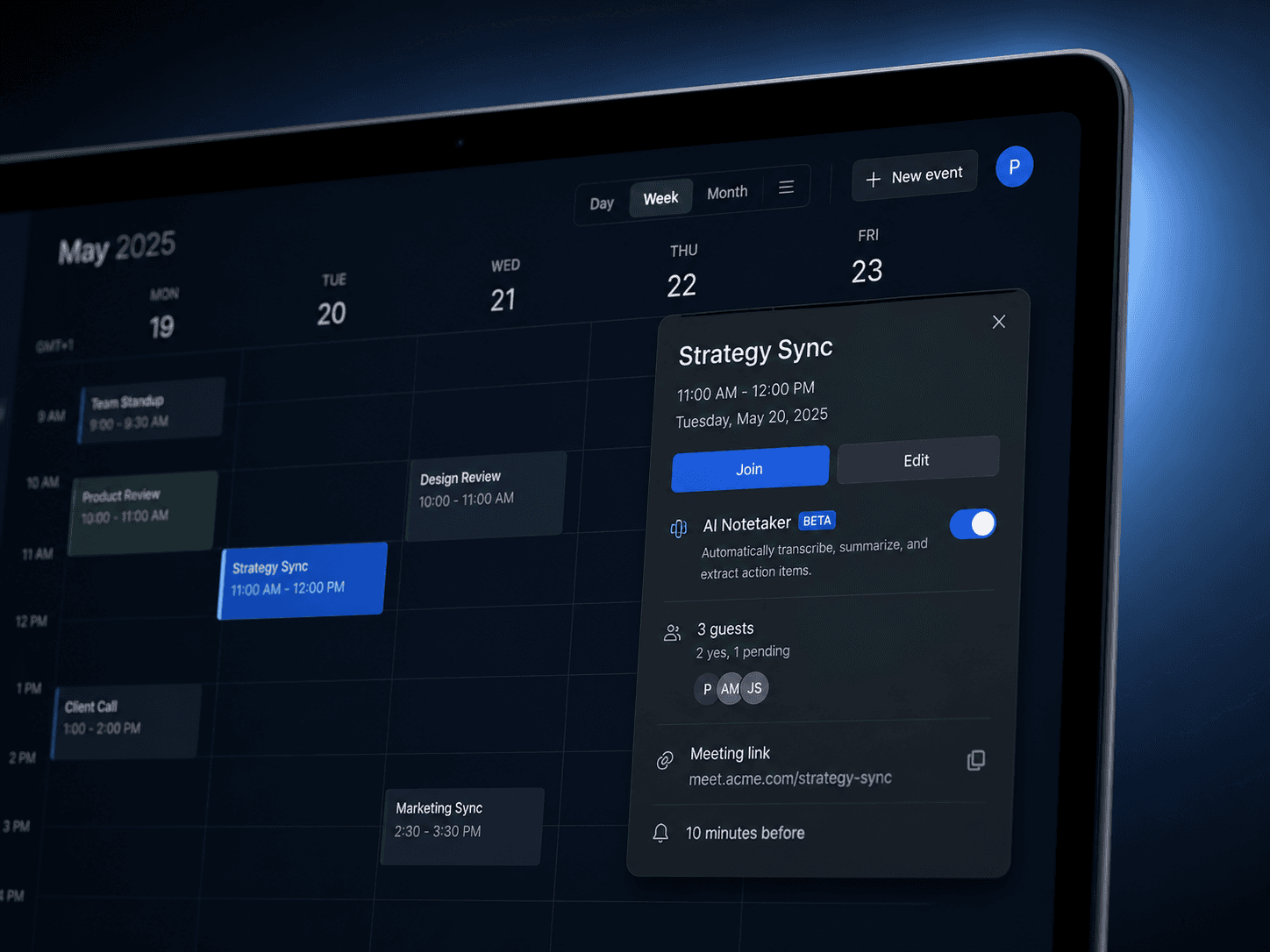
In Settings, link your Google Calendar or Outlook calendar so the AI Notetaker can see your upcoming meetings and offer to join automatically instead of you adding it manually to every call.
3. Choose your meeting platforms
HappyScribe joins Zoom, Google Meet, and Microsoft Teams. Make sure the platforms you actually use are enabled so the Notetaker knows where to show up.
4. Turn on auto-join (optional but recommended)
If you'd rather not add the notetaker before every call, enable auto-join and it will enter your meetings on its own the moment they start.
5. Set up your dashboard
Before your first meeting, take a look at Settings to set your preferred summary style and language, so the output already matches what you actually need to see.
6. Run your first meeting
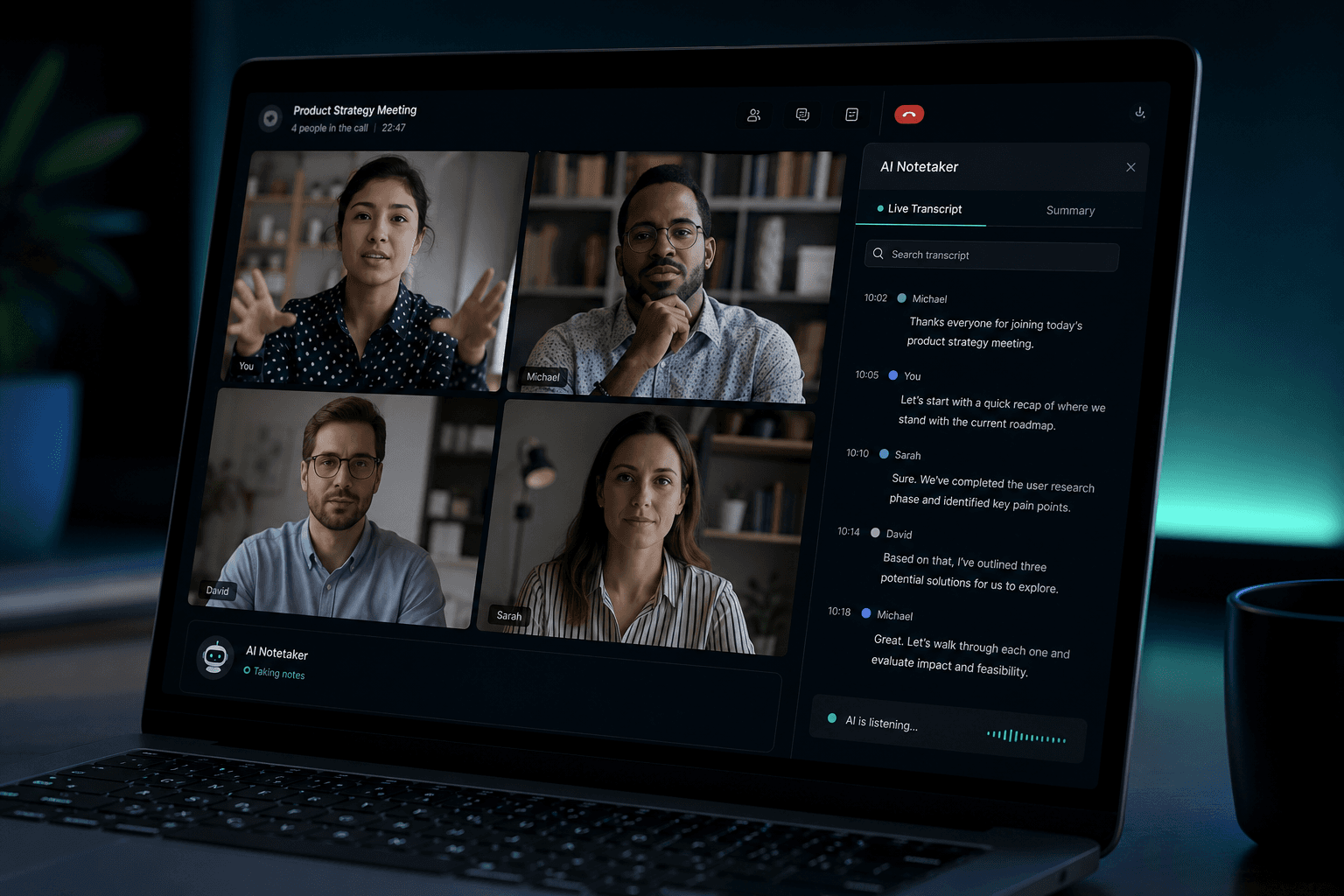
Once it joins, HappyScribe records and transcribes in real time, identifying each speaker as it goes.
7. Review your summary and clips
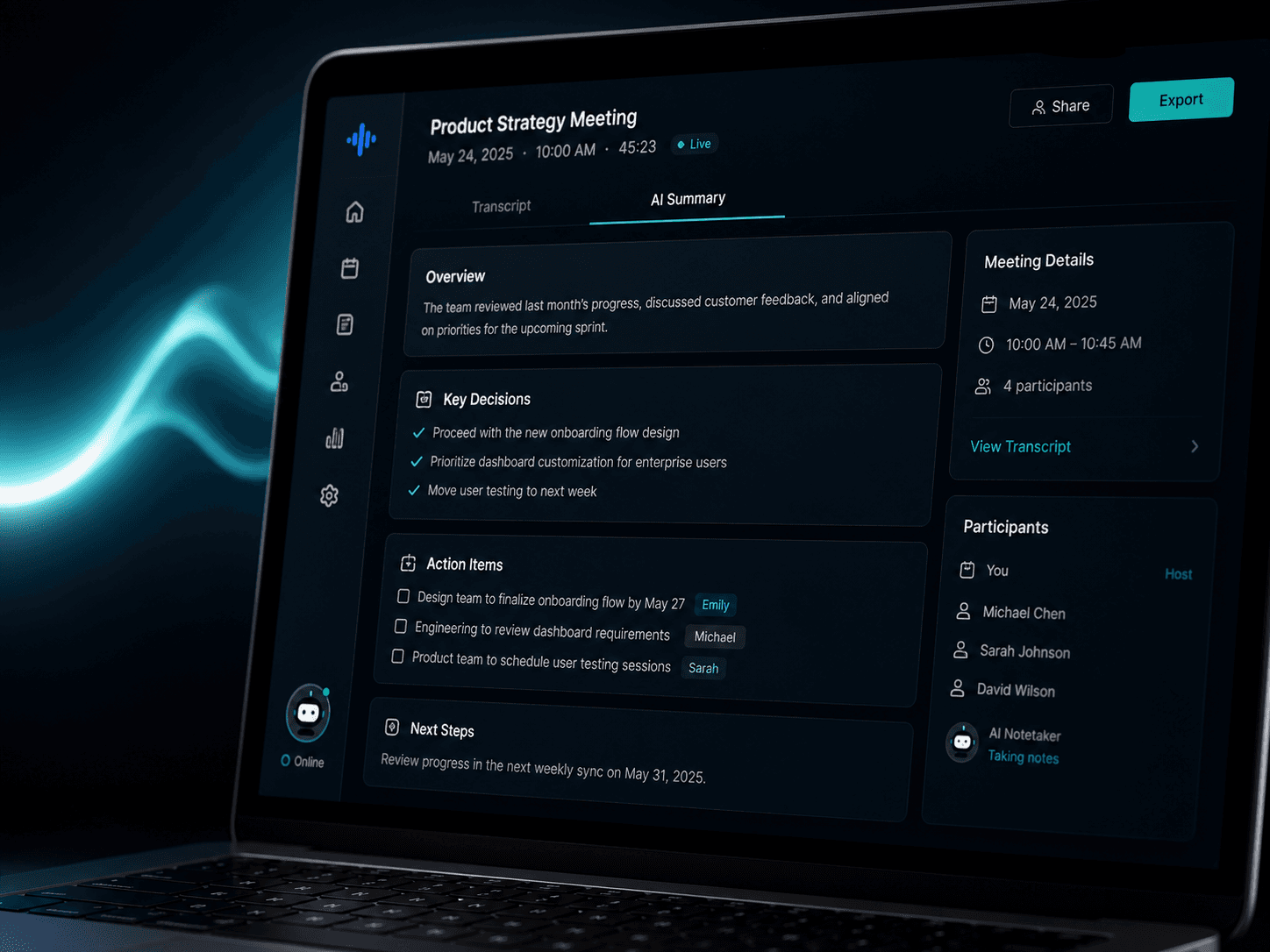
After the call, open your dashboard for a structured summary with decisions, action items, and owners, plus the full searchable transcript with word-level timestamps and speaker labels in the online editor.
8. Ask the transcript a question
Use the built-in AI chat to ask anything about the call "What did we decide on the budget?" and get an answer with the exact quote and timestamp behind it, rather than re-reading the whole transcript.
9. Export or share
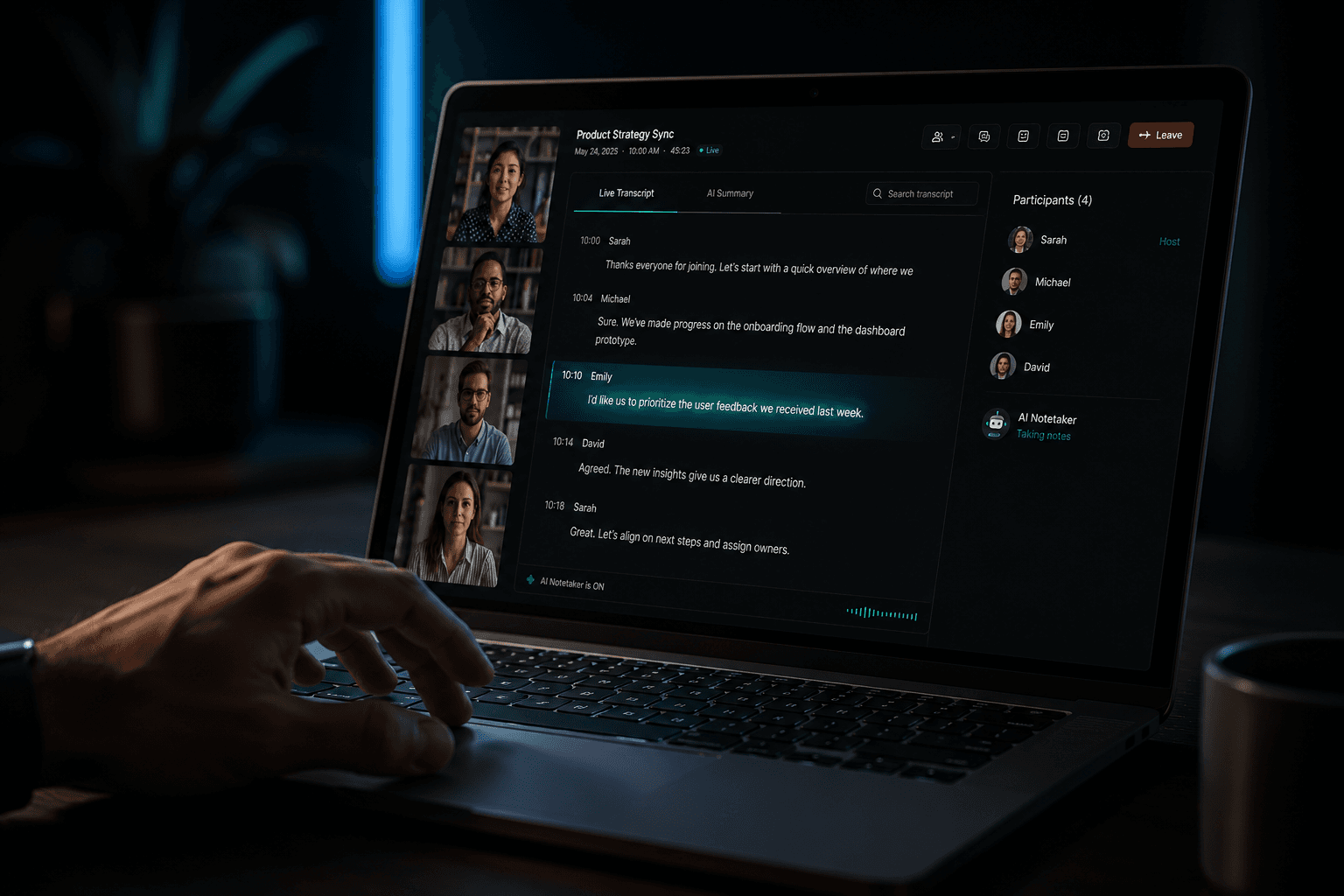
Export the transcript or summary to DOCX, PDF, TXT, SRT, or VTT, or share the recording link directly with teammates who missed the call.
10. Upgrade individual files when it matters
For your highest-stakes recordings client pitches, legal interviews, board meetings send that specific file to HappyScribe's human-made service for 99%+ guaranteed accuracy, and leave routine check-ins on AI transcription.
That's a working AI meeting notetaker and transcription platform, live, at zero cost to start. For most people starting out, the free plan alone will change how much time you spend writing meeting notes by hand, and it's the only tool on this list that keeps working just as well in a language other than English.
HappyScribe Pricing Plans, If You Outgrow Free
HappyScribe's plans are built around monthly "credits" minutes you can spend on AI transcription, subtitling, and translation. Credits reset each billing period and don't roll over, and every tier gets cheaper per month if you pay annually. Here's the current lineup:
Free $0
- Unlimited meeting recordings, capped at 45 minutes per recording, with limited recording history
- 10-minute free trial of AI transcription, subtitling, and translation
- Automatic speaker detection, AI meeting summaries, and email summary after meetings
- AI Chat: analyze up to 3 files/month, with the model auto-selected
- Exports in TXT and SRT only, MP4 hardcoded subtitles are watermarked
- Records on Google Meet, Zoom, and Microsoft Teams; integrates with YouTube, Vimeo, Drive, Box, and Dropbox
- 1 user seat, 1 style guide, 1 glossary
- Human proofreading available separately from $2.00/min
Basic: $17/month ($8.50/month billed annually, save 50%)
- Unlimited meeting recordings, up to 90 minutes per recording, with unlimited recording history
- 120 minutes of AI transcription, subtitling, and translation per month (1,440/year on the annual plan), plus top-up credits at $0.20/min
- AI Chat: analyze up to 10 files/month
- Everything in Free, plus watermark removed from video exports and export formats expanded to TXT, SRT, PDF, DOCX
- 1 user seat included
- Best fit: individuals with light, occasional transcription needs
Pro: $29/month ($19/month billed annually, save 34%) · Most Popular
- Unlimited meeting recordings with no duration cap
- 600 minutes of AI credits per month (7,200/year annually), plus top-up at $0.20/min
- Unlimited AI Chat, with a choice of top AI models (Claude, ChatGPT, Mistral, GLM) for deeper analysis
- Everything in Basic, plus subtitle exports in 15+ formats (VTT, STL, XML, FCPXML, EDL, HTML, MP4, and more), customizable Notetaker branding, and API access (custom AI summary templates and entity intelligence are listed as "coming soon" on HappyScribe's own feature comparison page, so treat those two as roadmap items rather than live today)
- 3 user seats included (extra seats $29/month, or $19/month on annual billing)
- Best fit: professionals and small teams who record regularly and want the Notetaker branded as their own
Business: $89/month ($59/month billed annually, save 34%)
- Unlimited meeting recordings with no duration cap
- 6,000 minutes of AI credits per month (72,000/year annually), plus top-up at $0.20/min
- Unlimited AI Chat with full model choice
- Everything in Pro, plus workspace roles and permissions, unlimited style guides and glossaries, usage analytics reporting, and priority support
- 5 user seats included (extra seats $29/month, or $19/month annually)
- Human proofreading discounted to from $1.90/min
- Best fit: teams and agencies with high-volume, high-stakes recording workflows
Enterprise: custom pricing
- Everything in Business, with scalable usage limits
- Dedicated account manager, premium support
- SSO/SAML and advanced workspace controls
- Best fit: organizations that need enterprise-grade governance on top of the platform
Human-made service: billed separately, no subscription required
- Priced per minute (from $2.00/min on Free/Basic/Pro, $1.90/min on Business), independent of your plan's AI credits
- Can be purchased à la carte for a single file even without a subscription useful for a one-off high-accuracy job like a legal deposition or board interview
- 99%+ guaranteed accuracy from professional transcribers, with delivery from 4 hours depending on language and length
A few details worth knowing before you pick a plan: top-up credits you buy beyond your monthly allowance never expire, even though your plan's included monthly credits reset each cycle. And several features are marked "Soon" across every tier right now AI meeting templates, custom AI summary templates on lower plans, and entity intelligence (auto-detecting people and companies in a transcript) so if those are the deciding factor for you, it's worth checking HappyScribe's changelog before committing to a paid tier.
Is it worth paying for?
For most casual users, the free plan is genuinely usable unlimited meeting recordings is rare at this tier, and 45 minutes covers the majority of internal calls. The upgrade decision really comes down to three things:
- Volume. If you're running more than a handful of transcription/subtitling minutes a month, or need calls longer than 45 minutes recorded regularly, Basic or Pro pays for itself quickly against the $0.20/min overage rate and any top-up credits you buy stick around instead of expiring at the end of the month, unlike your plan's base allowance.
- Accuracy stakes. The AI tiers all reach the same transcription accuracy ceiling (up to 99% on clear audio, lower with cross-talk or noise) upgrading a plan doesn't buy you more accurate AI transcription. If accuracy is the real requirement, the human-made add-on is what actually closes that gap, and it's available at every tier, even Free, without needing a subscription at all.
- How much you lean on AI Chat. This is one of the sharper lines between tiers: Free caps you at analyzing 3 files a month, Basic bumps that to 10, and Pro/Business remove the cap entirely and let you pick which model (Claude, ChatGPT, Mistral, GLM) does the analysis. If you plan to query your meeting history regularly rather than just read summaries, that jump from capped to unlimited is the single biggest reason to leave Basic for Pro.
- Team size and governance. Pro and Business add multiple seats, custom Notetaker branding, workspace permissions, and unlimited style guides/glossaries for consistent terminology across a team features that matter once more than one person is generating or relying on transcripts, but that a solo user doesn't need.
- Export needs. Free and Basic only export to TXT/SRT (Basic adds PDF/DOCX); Pro and Business unlock the full 15+ format list (VTT, STL, XML, FCPXML, EDL, HTML, MP4, and more), plus watermark-free video. If you're producing broadcast subtitles or feeding files into an editing pipeline, that alone can force the Pro decision regardless of minutes used.
Practically, solo users and light note-takers can comfortably stay on Free or Basic; small teams that live in meetings, want unlimited-length recordings, and expect to actually chat with their transcript history get the clearest value jump at Pro; and agencies or research teams processing high volumes with compliance and workspace-governance requirements are the ones Business and Enterprise are actually built for.